

| Component | Role | Lifetime | How to Access |
|---|---|---|---|
| ULCKSubsystem | WorldSubsystem → creates and owns the single ULCKService instance | World lifetime | GetWorld()->GetSubsystem()->GetService() |
| ULCKService | Central SDK brain: recording, preview, profiles, delegates, telemetry | Singleton per player session | Always via ULCKSubsystem |
| **ALCKTablet **+ BP_LCKTablet | Ready-to-use actor containing full 3D UI + recording logic | One per tablet in the Level | Drop the provided **BP_LCKTablet **Blueprint |
| ULCKDummyRecorderController (will be renamed) | Handles record button state & timer | Owned by ALCKTablet | Used internally by the tablet |
| ULCKUISystem | Full 3D UI orchestrator (all buttons, tabs, show/hide groups) | Component of the tablet | Manages all UI components and data binding |
| ULCKTabletDataModel | Central data container (mic state, quality, orientation, camera settings, etc.) | Owned by tablet | All UI elements bind to it automatically |
Recording profile
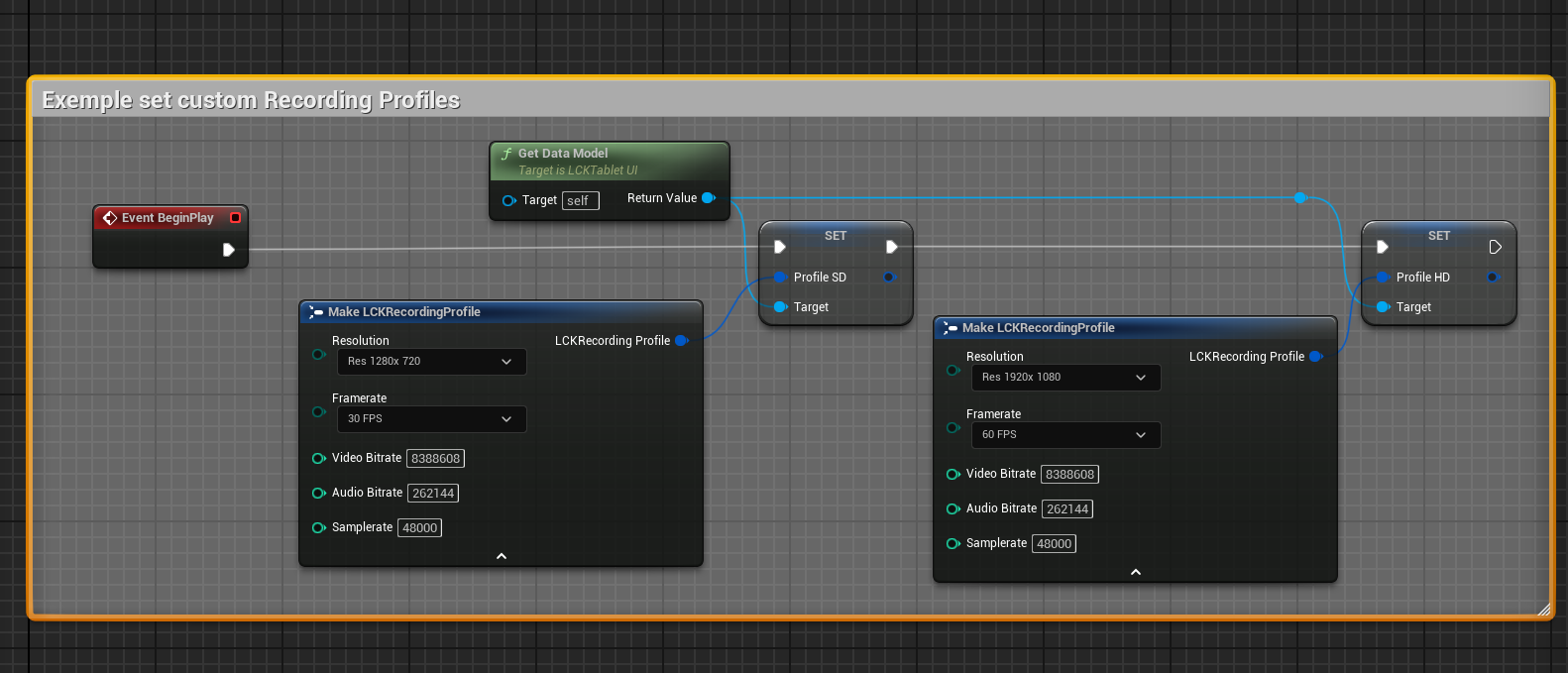
The Recording Profiles system defines video capture presets for the LCK Tablet. These profiles are managed by **ULCKTabletDataModel **in the **LCKUI **plugin and are fully configurable in Blueprints.Key Components
- ULCKTabletDataModel (LCKUI plugin)
- Owns all recording settings
- Exposes four FLCKRecordingProfile instances: Profile_SD, Profile_HD, Profile_2K, **Profile_4K **
- Exposes **CurrentVideoQuality **(enum: SD, HD, 2K, 4K)
- Exposes **CurrentScreenOrientation **(enum: Landscape, Portrait)
- FLCKRecordingProfile (LCKTablet plugin)
- USTRUCT containing:
- **ELCKRecordingResolution **Resolution
- **ELCKFramerate **Framerate
- **int32 **VideoBitrate
- **int32 **AudioBitrate
- **int32 **Samplerate
- USTRUCT containing:
- ULCKService (LCKTablet plugin)
- Exposes ApplyRecordingSettings(int32 Width, int32 Height, int32 Framerate, int32 VideoBitrate, int32 AudioBitrate, int32 Samplerate)
- Forwards parameters to ULCKRecorderSubsystem
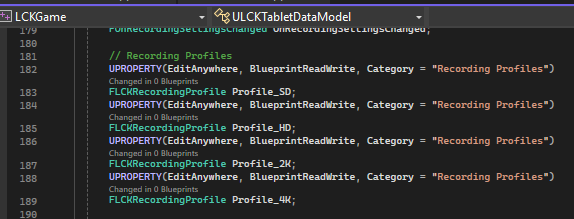
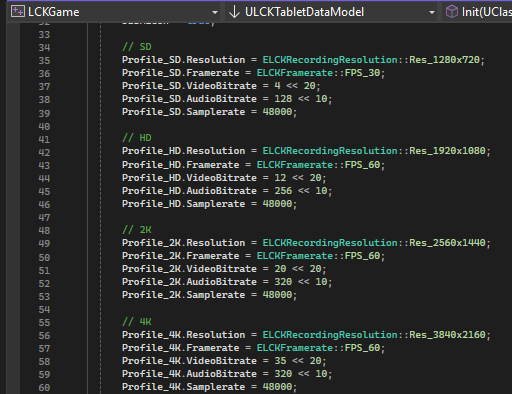
| Profile | Resolution | Framerate | Video Bitrate | Audio Bitrate |
|---|---|---|---|---|
| SD | 1280×720 | 30 fps | 4 Mbps | 128 kbps |
| HD | 1920×1080 | 60 fps | 10 Mbps | 256 kbps |
| 2K | 2560×1440 | 60 fps | 20 Mbps | 320 kbps |
| 4K | 3840×2160 | 60 fps | 35 Mbps | 320 kbps |
Telemetry
- Telemetry is anonymous. DeviceId is an irreversible MD5 hash.
- Define the TrackingID inside DefaultGame.ini as shown in the section “Preview Integration Guide”
| Event | Trigger | Example context sent |
|---|---|---|
| GameInitialized | Plugin loaded | Engine version, graphics API |
| **ServiceCreated **/ Disposed | ULCKService init/shutdown | – |
| RecordingStarted | User starts recording | Resolution, FPS, bitrates |
| RecordingStopped | User stops recording | Duration, stop reason |
| PhotoCaptured | TakePhoto() called | Resolution, format (PNG) |
| **RecorderError **/ SdkError | Any failure | Error message + code |