Skip to main contentProblem: The tablet jitters as your player moves
Cause: The provided tablet prefabs will automatically update camera positioning during LateUpdate. Depending on how locomotion / interaction is implemented in your game, you may wish to change this to avoid object jitter in captures.
Solution: Change the Update Timing
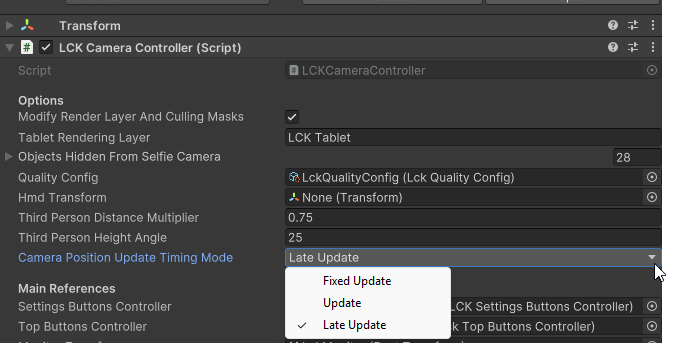
To change the update timing of tablet cameras, on the LCKCameraController component in your tablet prefab, use the “Camera Position Update Timing Mode” dropdown in the inspector.
LCKCameraController -> CameraPositionUpdateTimingMode
 To change the update timing of camera stabilizers, on each
 LckStabilizer component in your tablet prefab, use the “Stabilization Update Timing Mode” dropdown in the inspector.
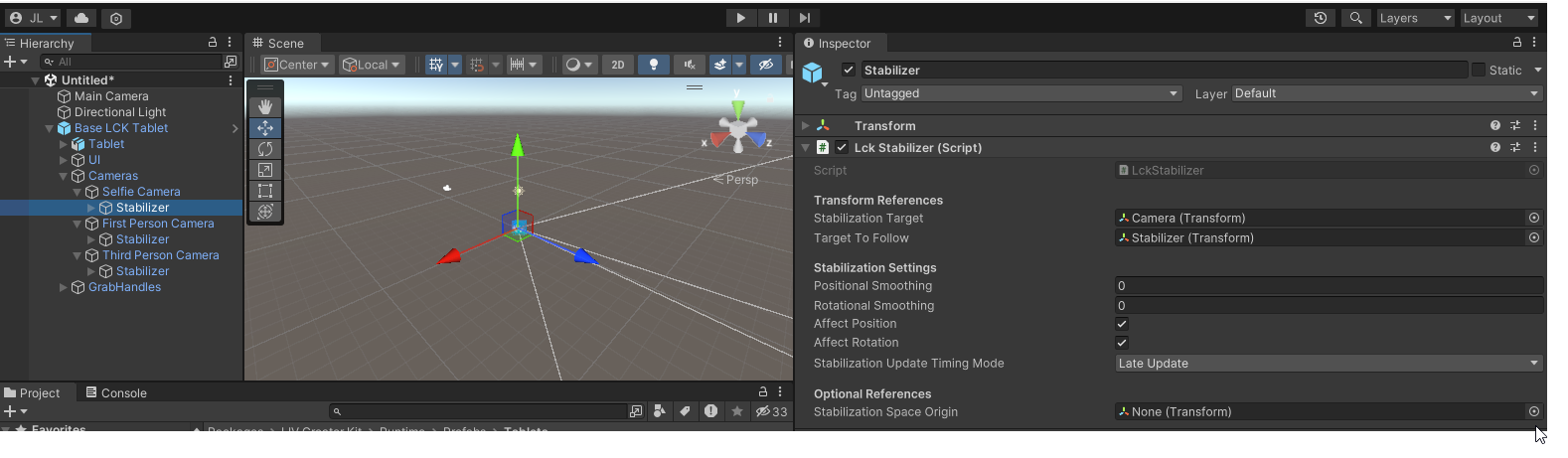 The available update timing options are:
FixedUpdateUpdateLateUpdate
For more information on when these updates take place, see Unity execution order documentation. 
