

ULCKBaseButton
Base class for all UI button components providing touch interaction, visual state management, and event delegation.Properties
| Property | Type | Description |
|---|---|---|
ButtonType | ELCKButtonType | Button shape type |
CollisionBox | UBoxComponent* | Touch collision detection |
ButtonSmc | UStaticMeshComponent* | Visual mesh |
ButtonLabel | UTextRenderComponent* | Text label |
ButtonName | FName | Identifier |
PressedOffset | FVector | Visual offset when pressed |
Events
Broadcast when button is tapped.
Methods
| Method | Description |
|---|---|
ButtonPressed(TapData) | Handle press input |
ButtonReleased(TapData) | Handle release input |
UpdateVisualsOnPressed() | Set pressed visual state |
UpdateVisualsOnReleased() | Set released visual state |
Show() | Make visible |
Hide() | Make hidden |
SetUVOffset(UVOffset) | Set primary UV offset |
SetSecondUVOffset(UVOffset) | Set secondary UV offset |
Example
ULCKToggle
Toggle button with on/off states and state-dependent icons.Properties
| Property | Type | Description |
|---|---|---|
ToggleOnIcon | UTexture2D* | Icon for on state |
ToggleOffIcon | UTexture2D* | Icon for off state |
Methods
| Method | Description |
|---|---|
UpdateVisuals(bIsOn) | Update appearance based on state |
Derived Classes
ULCKMicButton
ULCKMicButton
ULCKFollowButton
ULCKFollowButton
ULCKScreenOrientationButton
ULCKScreenOrientationButton
ULCKRectToggle
ULCKRectToggle
Rectangle-shaped toggle button.
Example
ULCKRectButton
Rectangle-shaped button for text labels and actions.Derived Classes
ULCKFlipButton
ULCKFlipButton
ULCKRecordButton
Record button with time display and recording state visualization.Interfaces
ImplementsILCKRecordable.
Events
Broadcast when record button is pressed.
Methods
| Method | Description |
|---|---|
SetTime(NewTime) | Update displayed recording time |
UpdateVisuals(NewState) | Update for recording state |
Example
ULCKVideoQualityButton
Video quality selection button cycling through SD, HD, 2K, 4K presets.ULCKOnScreenButton
Button rendered on the display surface for in-viewport interaction.Derived Classes
ULCKOnScreenFlipButton
ULCKOnScreenFlipButton
ULCKOnScreenPhotoButton
ULCKOnScreenPhotoButton
Touch Interaction
Enabling Interactions
Interaction with the UI is collision-based. The simplest way to enable interactions is to add a SphereCollider with 5-10mm radius to the index fingertip.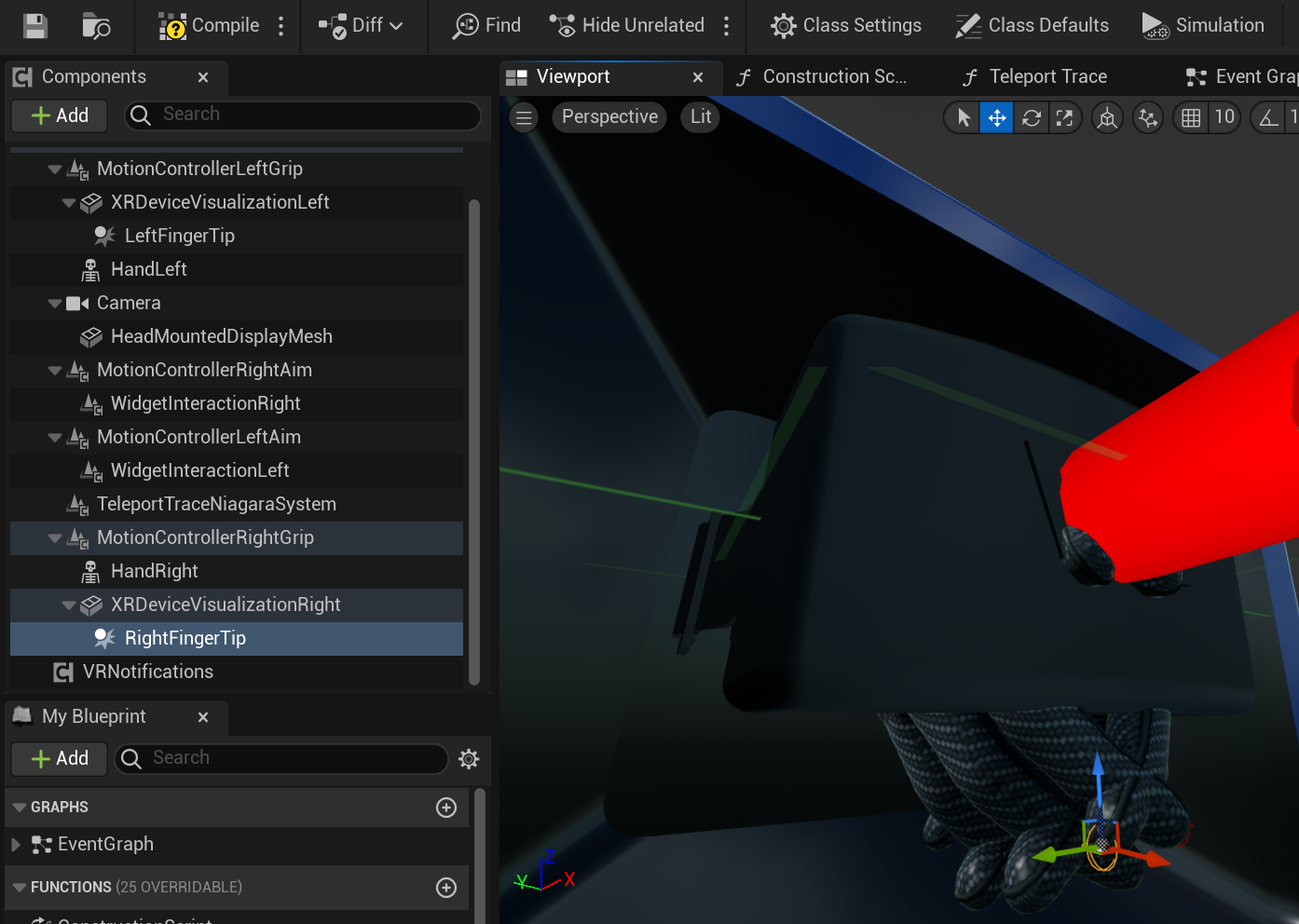
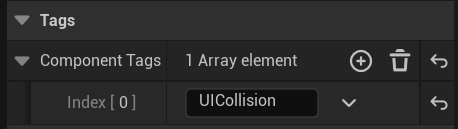
FLCKTapData
Touch event data structure.Interaction Direction
Configure which direction validates touch input:Cooldown
Buttons have a built-in 0.25s cooldown to prevent accidental double-taps. This is handled automatically byFLCKConstants::CoolDownTime.