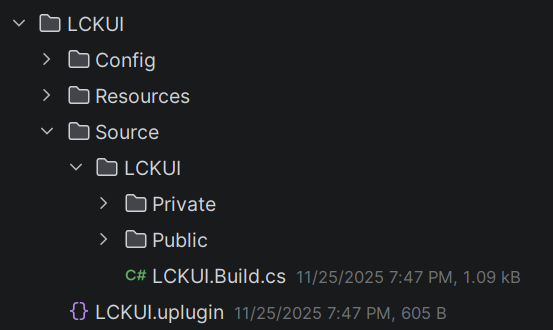
Module: LCKUI | Version: 0.9.2 | Platforms: All
Overview LCKUI provides a comprehensive 3D UI component library designed for VR touch interaction. Components feature touch-based input, visual state management, and material-driven styling optimized for immersive environments.
Component Hierarchy USceneComponent └── ULCKBaseButton (ILCKButtonable, ILCKShowable) ├── ULCKToggle │ ├── ULCKRectToggle │ ├── ULCKFollowButton │ ├── ULCKMicButton │ └── ULCKScreenOrientationButton ├── ULCKStepper │ ├── ULCKFOVButton │ ├── ULCKDistanceButton │ └── ULCKSmoothnessButton ├── ULCKRectButton │ └── ULCKFlipButton ├── ULCKPad2D ├── ULCKRecordButton ├── ULCKVideoQualityButton └── ULCKOnScreenButton ├── ULCKOnScreenFlipButton └── ULCKOnScreenPhotoButton
Key Components
ULCKBaseButton Base class for all UI buttons with touch interaction and visual states
ULCKToggle On/off toggle button with state-dependent icons
ULCKStepper Increment/decrement control for numerical values
ULCKDisplay Render target display surface with overlay effects
Square
Rectangle
Tab
Selector
Standard icon button for actions and toggles. Box Extent: (0.4, 2.4, 2.4)UV Step: (0.1, 0.1)ULCKBaseButton * Button = CreateDefaultSubobject < ULCKBaseButton >( TEXT ( "MyButton" )); Button -> ButtonType = ELCKButtonType ::Square;
Wide button for text labels and multi-action controls. Box Extent: (0.4, 6.0, 2.4)UV Step: (0.25, 0.1)ULCKRectButton * Button = CreateDefaultSubobject < ULCKRectButton >( TEXT ( "WideButton" ));
Tab-shaped button for mode selection. Box Extent: (0.4, 4.4, 2.4)UV Step: (0.183333, 0.1)
Top selector for dropdowns and menus. Box Extent: (2.4, 4.4, 0.8)
Quick Example #include "LCKBaseButton.h" #include "LCKToggle.h" void AMyActor :: SetupUI () { // Create a toggle button ULCKToggle * MicToggle = CreateDefaultSubobject < ULCKToggle >( TEXT ( "MicToggle" )); MicToggle -> SetupAttachment (RootComponent); // Set toggle icons MicToggle -> ToggleOnIcon = MicOnTexture; MicToggle -> ToggleOffIcon = MicOffTexture; // Bind to tap event MicToggle -> OnTapStarted . AddDynamic ( this , & AMyActor ::OnMicToggleTapped); } void AMyActor :: OnMicToggleTapped () { bIsMicOn = ! bIsMicOn; MicToggle -> UpdateVisuals (bIsMicOn); }
Interfaces Marker interface for button-like objects that can be pressed.
ILCKShowable Visibility control interface for show/hide operations.
class ILCKShowable { public: virtual void Show () = 0 ; virtual void Hide () = 0 ; };
ILCKRecordable Recording state interface for record button components.
class ILCKRecordable { public: virtual void SetTime ( float NewTime ) = 0 ; virtual void UpdateVisuals ( const ELCKRecordingState NewState ) = 0 ; };
Styling Color Palette The SDK provides a consistent color palette via FLCKColor:
Color RGB Usage Primary(8, 8, 8) Main background PrimaryText(220, 220, 220) Primary text ButtonDefault(40, 40, 40) Button background ButtonActive(94, 69, 255) Active/pressed state Alert(255, 42, 42) Recording indicator Success(32, 196, 64) Success state
Constants struct FLCKConstants { static constexpr float CoolDownTime = 0.25 f ; // Button cooldown inline static const FName UICollisionProfileName = TEXT ( "OverlapOnlyPawn" ); };
Log Category DECLARE_LOG_CATEGORY_EXTERN (LogLCKUI, Log, All);
Next Steps