

Module: LCKWwise | Version: 1.0 | Platforms: Win64, Android
Overview
LCKWwise provides integration with Audiokinetic Wwise, capturing game audio output for recording. This plugin hooks into the Wwise audio system to capture the final mixed output using an output device capture callback.Supported Channels
Requirements
- Wwise plugin for Unreal Engine
- Wwise project configured in your game
- Valid Wwise license
Dependencies
Automatic Integration
The plugin automatically:- Detects Wwise plugin presence
- Registers output capture callback
- Registers with the LCK audio system
Source Implementation
FLCKWwiseSource
The core audio source class that captures game audio from the Wwise output stage:WWise_CaptureCallback
A static callback function registered with the Wwise sound engine. When Wwise delivers audio buffers, this callback converts the data and firesOnAudioDataDelegate with ELCKAudioChannel::Game.
Capture Point
LCKWwise captures audio from the Wwise output stage after all processing:Technical Details
Capture Callback Registration
The plugin registers a capture callback with the Wwise sound engine:Ambisonic Support
The plugin supports 3rd-order ambisonic (16-channel) to stereo conversion:Ambisonic decoding is limited to 3rd-order (16 channels). Higher-order ambisonics are not supported.
Capture Lifecycle
- StartCapture — Adds a secondary Wwise output configured for stereo, registers
WWise_CaptureCallback, and queries the engine sample rate - Audio callback —
WWise_CaptureCallbackreceives buffers from Wwise, performs ambisonic decoding if needed, and firesOnAudioDataDelegate - StopCapture — Unregisters the capture callback and removes the output device
Configuration
Sample Rate and Channel Configuration
We recommend setting Sample Rate to 48000 and Channel Config Type to Standard (rather than Anonymous or Ambisonic).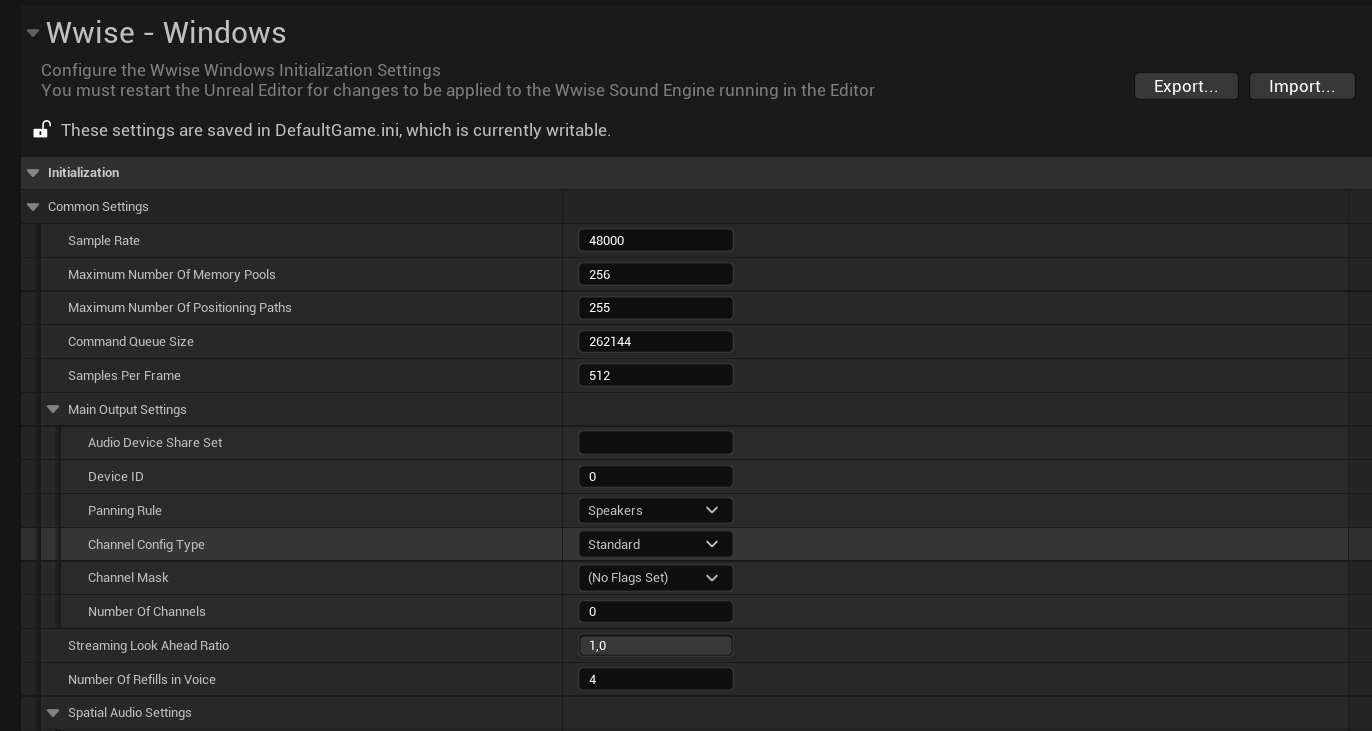
Channel Settings
Setting Channels to 2 sometimes resolves audio issues. These settings need to be configured separately for Android and Windows, depending on your target platforms.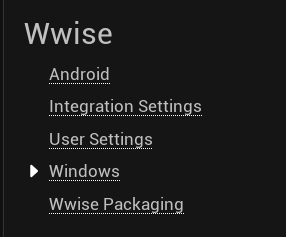
Output Device Configuration
Ensure your Wwise project outputs to the appropriate device:- In Wwise Authoring, configure the Audio Device Shareset
- Set output to match your game’s audio output
- Verify in Wwise Profiler that audio is flowing
Platform Support
Performance
Wwise Version Compatibility
Troubleshooting
No audio captured
No audio captured
- Verify Wwise plugin is enabled and initialized
- Check Wwise Profiler for audio output
- Verify output callback is registered (check LogLCKWwise)
- Ensure
OutputDeviceIdis valid (notAK_INVALID_OUTPUT_DEVICE_ID)
Plugin not loading
Plugin not loading
- Verify AkAudio module is available
- Check plugin load order in .uproject
- Look for Wwise initialization errors
Sample rate mismatch
Sample rate mismatch
- Check Wwise project sample rate settings
- Verify encoder sample rate matches
- Consider resampling if rates differ
Ambisonic audio sounds wrong
Ambisonic audio sounds wrong
- Verify Wwise is configured for 3rd-order ambisonic (16 channels)
- Higher-order ambisonics are not supported
- Try setting Channel Config Type to Standard stereo instead
Log Category
See Also
Audio Overview
Audio system architecture
FMOD
Alternative middleware integration