
Accessing Settings

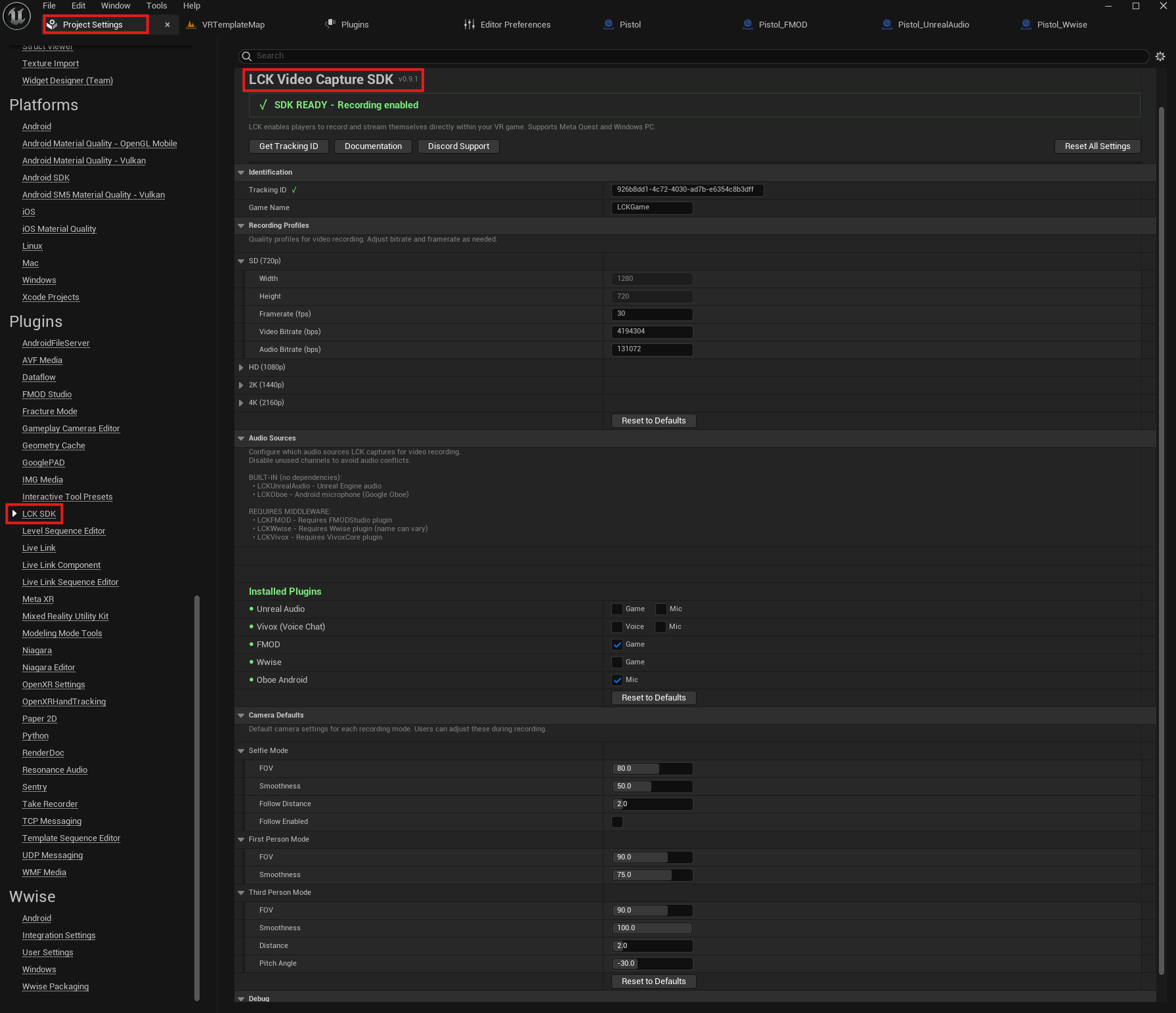
Navigate to Project Settings > Plugins > LCK SDK in the Unreal Editor. You can also access settings programmatically:
#include "LCKDeveloperSettings.h"

ULCKDeveloperSettings* Settings = ULCKDeveloperSettings::Get();
Unreal Settings

Identification

TrackingId
FString
required
Unique tracking ID (UUID v4 format) for your game.Get this from dev.liv.tv - recording will not work without a valid ID.
GameName
FString
Your game’s display name as it appears in LIV analytics and video metadata.

Features

bEnableStreaming
bool
default:"false"
Include RTMP streaming support in the build. When disabled, librtmp DLLs/SOs are not packaged, reducing APK/build size. Streaming API calls will fail at runtime if this is false.
bEnableStreaming defaults to false. You must enable it before any streaming functionality (authentication, live streaming) will work. See the Streaming Overview for full prerequisites.

Encoder Lifecycle

The encoder is ref-counted. Multiple consumers (recording, streaming) can share a single encoder instance.
AcquireEncoder
function
Acquires a reference to the encoder. Creates and starts it on the first call. Returns false if the encoder cannot be created.
UFUNCTION(BlueprintCallable, Category = "LCK")
bool AcquireEncoder(
    bool bNeedsDisk = false,
    int32 VideoBitrateOverride = 0,
    int32 AudioBitrateOverride = 0
);
ParameterTypeDefaultDescription
bNeedsDiskboolfalseIf true, ensures the encoder writes to an MP4 file. If the encoder is already running without disk output, it restarts with disk enabled.
VideoBitrateOverrideint320Override video bitrate (bps). 0 uses the profile default.
AudioBitrateOverrideint320Override audio bitrate (bps). 0 uses the profile default.
ReleaseEncoder
function
Releases a reference to the encoder. When the ref count reaches zero, the encoder stops.
UFUNCTION(BlueprintCallable, Category = "LCK")
void ReleaseEncoder(bool bSaveFile = false);
ParameterTypeDefaultDescription
bSaveFileboolfalseIf true and ref count hits zero, saves the recording to the gallery/Movies folder before stopping.
Every AcquireEncoder() call must be paired with a ReleaseEncoder() call. Mismatched calls will either leak GPU resources (missing release) or stop the encoder while other consumers are active (extra release).

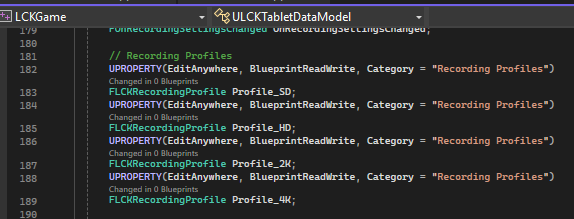
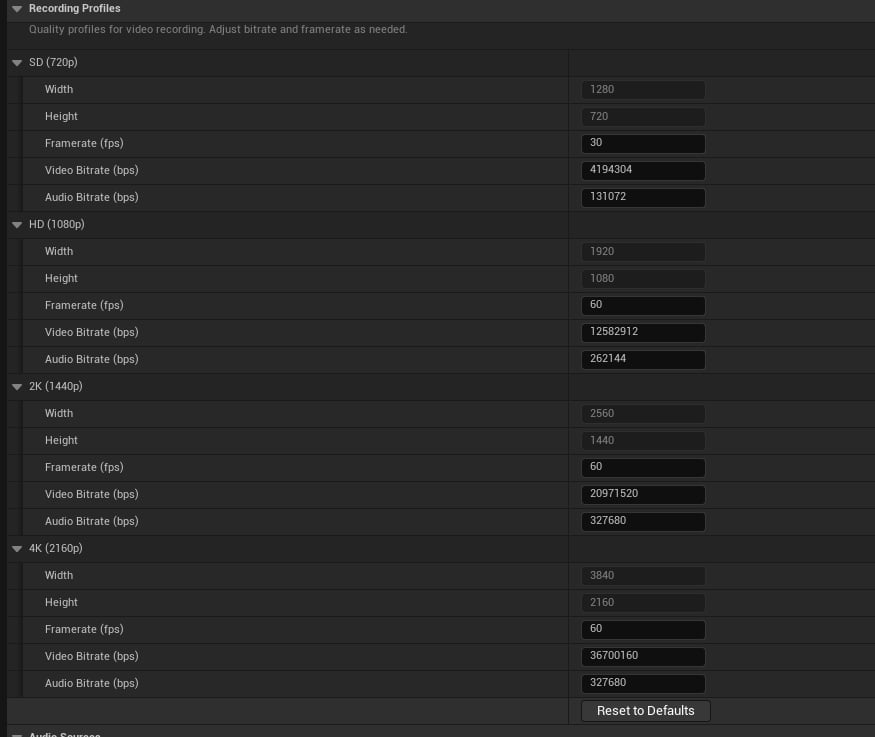
Recording Profiles

Four quality profiles are available, each with configurable settings: Recording profile struct
SettingDefaultRangeDescription
Width1280FixedVideo width in pixels
Height720FixedVideo height in pixels
Framerate3015-120Target FPS
VideoBitrate4,000,000500K-100MVideo bitrate (bps)
AudioBitrate128,00064K-512KAudio bitrate (bps)
Samplerate48000AutoAudio sample rate (Hz)
For Meta Quest devices, start with HD (1080p) at 30 FPS. Higher resolutions may impact game performance.

Customizing Profiles in Developer Settings

Recording profiles can be modified in the plugin settings to override the defaults: Unreal Quality Settings
Audio Sources

Configure which audio sources are used for capture. Each plugin type has specific channel support.

Unreal Audio

Built-in Unreal Engine audio capture. Disable channels here if another plugin handles them.
SettingDefaultDescription
MicrophonetrueEnable microphone capture
Game AudiotrueEnable game audio capture
If using FMOD or Wwise for game audio, disable “Game Audio” here to avoid conflicts.

Vivox (Voice Chat)

Vivox voice chat capture. NOT a game audio middleware — can safely coexist with FMOD/Wwise.
SettingDefaultDescription
MicrophonetrueCapture your voice
Voice AudiotrueCapture incoming voice chat

FMOD

FMOD audio middleware capture (game audio only).
SettingDefaultDescription
Game AudiotrueCapture FMOD output

Wwise

Wwise audio middleware capture (game audio only).
SettingDefaultDescription
Game AudiotrueCapture Wwise output

Oboe (Android)

High-performance microphone capture on Android using Google’s Oboe library.
SettingDefaultDescription
MicrophonetrueEnable low-latency mic capture
Game audio middleware priority: FMOD > Wwise > UnrealAudio. Only one game audio source will be active at a time.

Camera Mode Defaults

Selfie Mode

SettingDefaultRangeDescription
FOV80.020-120Field of view (degrees)
Smoothness50.00-100Camera movement smoothness (%)
FollowDistance2.00.5-10Distance when following (meters)
bFollowEnabledfalse-Start with follow mode active

First Person Mode

SettingDefaultRangeDescription
FOV90.020-120Field of view (degrees)
Smoothness75.00-100Camera movement smoothness (%)

Third Person Mode

SettingDefaultRangeDescription
FOV90.020-120Field of view (degrees)
Smoothness100.00-100Camera movement smoothness (%)
Distance2.00.5-10Camera distance (meters)
PitchAngle-30.0-90-90Vertical angle (degrees)

Internal Constants

These values are used internally and are not editable:
SettingValueDescription
NotificationDisplayTime3.0sHow long notifications appear
PhotoFlashAnimationTime0.5sPhoto capture flash duration
ButtonCooldownTime0.25sUI button cooldown
FOVStep5.0FOV increment per button press
SmoothnessStep5.0Smoothness increment
DistanceStep0.5Distance increment

Validation

Audio Configuration Validation

FLCKAudioConfigValidation Validation = Settings->ValidateAudioConfig();

if (!Validation.bIsValid)
{
    for (const FString& Warning : Validation.Warnings)
    {
        UE_LOG(LogLCK, Warning, TEXT("%s"), *Warning);
    }
}

// Check active audio type
ELCKGameAudioType ActiveType = Validation.ActiveGameAudio;

Build Info

// Get loaded audio plugins
TArray<FLCKAudioPluginInfo> Plugins = Settings->GetLoadedAudioPlugins();

// Get formatted build info
FString BuildInfo = Settings->GetBuildInfoDescription();

Configuration File

Settings are saved in Config/DefaultGame.ini:
[/Script/LCKCore.LCKDeveloperSettings]
TrackingId=0000
GameName=MyGame

; Recording profiles
Profile_SD=(Width=1280,Height=720,Framerate=30,VideoBitrate=4000000,AudioBitrate=128000)
Profile_HD=(Width=1920,Height=1080,Framerate=60,VideoBitrate=12000000,AudioBitrate=256000)

; Audio sources
AudioSource_Unreal=(bMicrophoneEnabled=True,bGameAudioEnabled=True)
AudioSource_FMOD=(bGameAudioEnabled=True)

; Camera defaults
SelfieMode=(FOV=80.0,Smoothness=50.0,FollowDistance=2.0,bFollowEnabled=False)